The 7 Essential Software Every BIM Engineer Should Master in 2026
The Building Information Modeling (BIM) industry is rapidly transforming the Architecture, Engineering, and Construction (AEC) sector. Today’s BIM engineers are expected to do much more than create 3D models—they must coordinate multidisciplinary teams, automate workflows, produce realistic visualizations, and deliver projects efficiently.
Whether you’re a student planning your career or a working professional looking to upgrade your skills, mastering the right software is the key to staying competitive. Here are the seven essential software applications every BIM engineer should master in 2026.
1. Autodesk Revit Architecture
Revit Architecture is the foundation of architectural BIM modeling. It enables architects and designers to create intelligent building models that contain both graphical and non-graphical information.
Key Skills to Learn
Architectural Modeling
Walls, Floors & Roofs
Doors & Windows
Families & Components
Schedules
Construction Documentation
Worksharing
Why It Matters
Every architectural BIM project begins with an accurate building model. Revit Architecture helps streamline design changes, improve collaboration, and generate accurate construction documentation.
2. Autodesk Revit Structure
Structural engineers use Revit Structure to design and coordinate structural components within a BIM environment.
Key Skills to Learn
Structural Framing
Reinforced Concrete Modeling
Steel Structures
Foundations
Structural Documentation
Structural Analysis Integration
Rebar Modeling
Why It Matters
A well-coordinated structural model reduces construction errors and improves collaboration between architects and MEP engineers.
3. Autodesk Revit MEP
Revit MEP is one of the most sought-after skills in the global construction industry. It allows engineers to design Mechanical, Electrical, and Plumbing systems within a coordinated BIM model.
Key Skills to Learn
HVAC Modeling
Plumbing Systems
Electrical Systems
Fire Fighting Systems
Equipment Placement
Duct & Pipe Routing
Load Calculations
Shop Drawings
Why It Matters
Revit MEP enables engineers to detect conflicts early, optimize system layouts, and improve project efficiency.
4. Autodesk Navisworks
Navisworks is the industry’s leading software for BIM coordination and project review. It combines models from different disciplines into a single environment for collaboration.
Key Skills to Learn
Clash Detection
Model Coordination
4D Construction Simulation
Quantification
Construction Sequencing
Model Review
Issue Tracking
Why It Matters
Detecting clashes before construction begins helps reduce rework, save costs, and ensure smoother project execution.
5. Lumion
A great BIM model deserves an equally impressive presentation. Lumion transforms technical BIM models into stunning visualizations with realistic lighting, materials, landscapes, and animations.
Key Skills to Learn
Architectural Rendering
Realistic Materials
Landscape Design
Lighting Effects
Walkthrough Animations
Flythrough Videos
Environmental Settings
Why It Matters
Clients can better understand a project through realistic renders and animations, making presentations more impactful and increasing project approvals.
6. Dynamo for Revit
Dynamo is a visual programming tool that automates repetitive tasks within Revit, improving productivity and reducing manual effort.
Key Skills to Learn
Visual Programming
BIM Automation
Parameter Management
Batch Editing
Geometry Creation
Data Extraction
Custom Scripts
Why It Matters
Engineers who can automate workflows save valuable time and improve accuracy, making them highly valuable in BIM teams.
7. Rhino & Grasshopper
Rhino is a powerful 3D modeling software, while Grasshopper is its visual programming platform for creating complex parametric and computational designs.
Key Skills to Learn
Freeform Modeling
Parametric Design
Computational Geometry
Facade Design
Structural Optimization
Algorithmic Modeling
Design Automation
Why It Matters
Modern architectural and engineering projects often feature complex geometries that traditional BIM software cannot easily create. Rhino and Grasshopper enable innovative, sustainable, and highly customized designs.
Why These Software Skills Are Essential
Mastering these seven software applications equips BIM engineers with the ability to:
Develop intelligent BIM models
Coordinate multidisciplinary teams
Detect and resolve design clashes
Automate repetitive workflows
Create high-quality architectural visualizations
Design complex parametric structures
Improve project efficiency and accuracy
Work confidently on international construction projects
The Future of BIM Careers
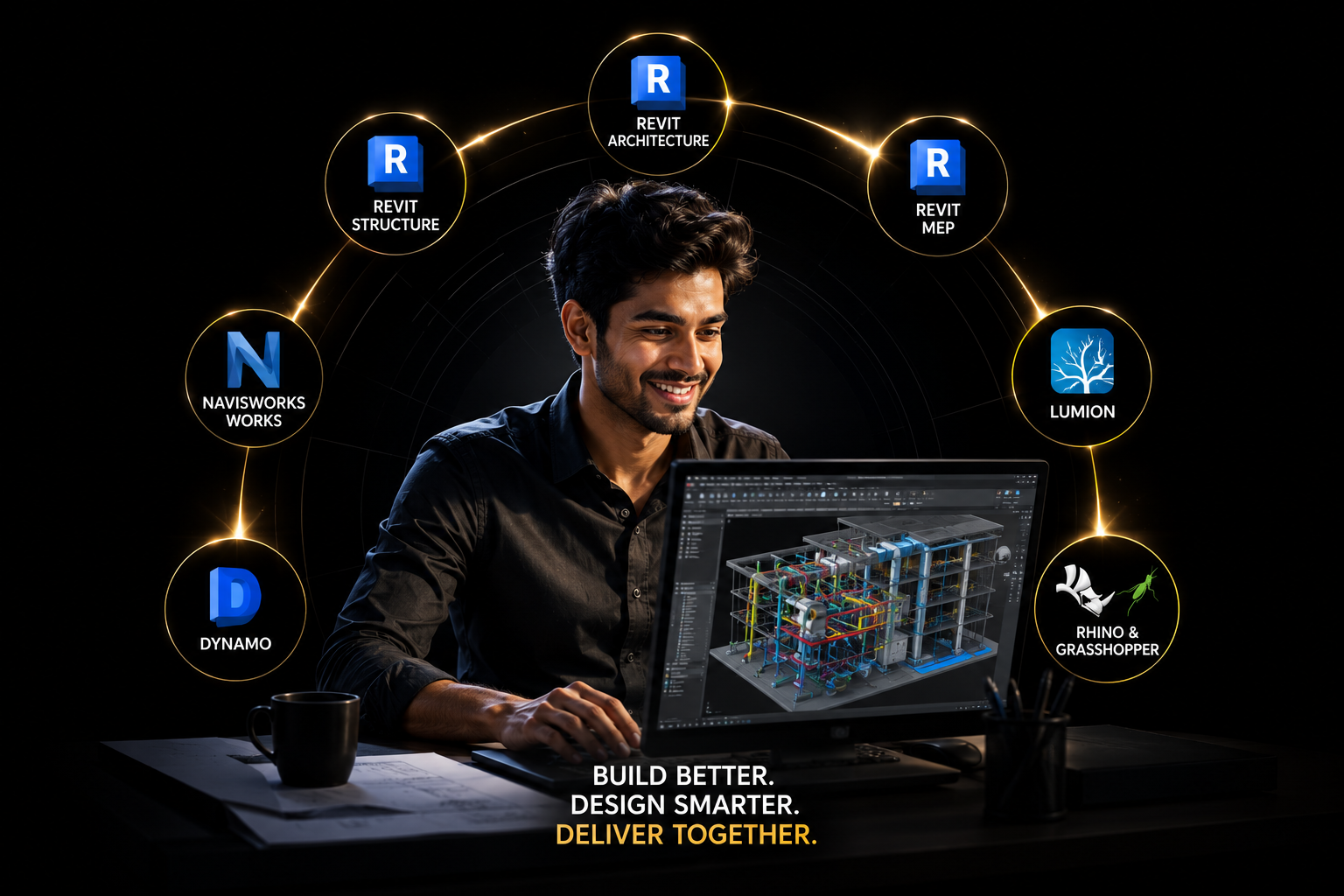
As the AEC industry embraces digital transformation, companies are seeking professionals who possess expertise across multiple BIM platforms. Engineers with skills in Revit Architecture, Revit Structure, Revit MEP, Navisworks, Lumion, Dynamo, and Rhino & Grasshopper are well-positioned for high-demand roles in architectural design, engineering consultancy, infrastructure development, and smart construction projects worldwide.
Continuous learning and software proficiency not only enhance technical capabilities but also open doors to better career opportunities, higher salaries, and global employment prospects.
Build Your BIM Career with ACE India
At ACE India Training & Services Pvt. Ltd., we provide comprehensive, industry-focused training in the latest BIM software through practical projects, expert mentorship, and real-world workflows. Our programs are designed to prepare students and professionals for the evolving demands of the global AEC industry.
Whether you’re starting your journey or looking to advance your expertise, mastering these seven essential BIM software tools will help you become a future-ready BIM professional.
Invest in your skills today, and shape the buildings of tomorrow with BIM.